How to Reach Memorial Product Markets

SB5827The memorial product segment is a rapidly growing segment in the sublimation portion of our industry. It is also a bit of a touchy segment and has different pitfalls and challenges. When I starting to think about this article I internally found some very difficult things to overcome when it came to profiting as a business off of this segment. But after thinking and researching, I have come to the conclusion that if done correctly this segment can and should be a winning proposition for all involved. You can also even help ease some of the pain of losing a loved one by providing a memorial product for the grieving to cherish for years to come.


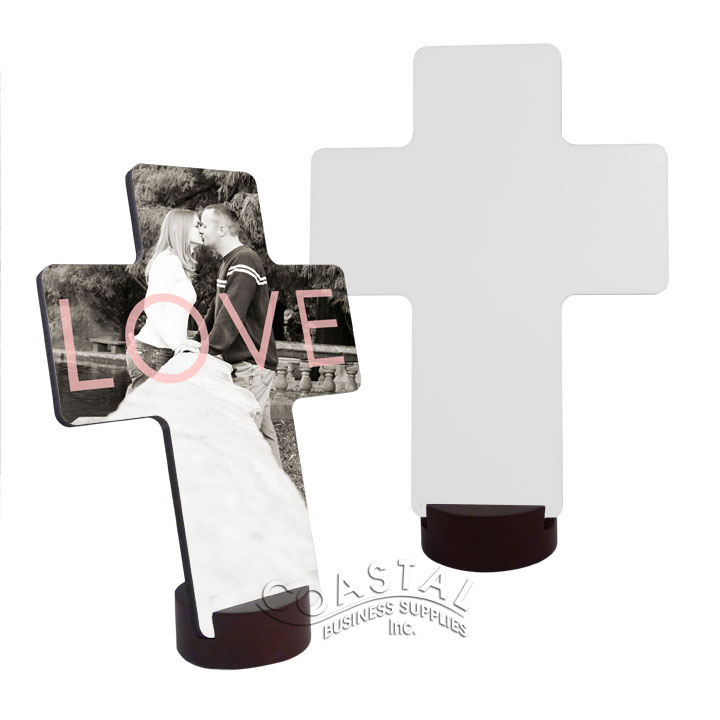
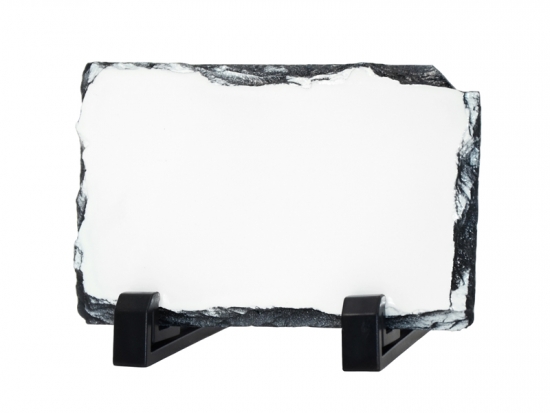
Let’s start by exploring what the market is and where you might be able to find some of this type of work. This market to me can be boiled down to one easy description – the creation and personalization of items that commemorate the life of someone who was special to someone living. With sublimation, these can be items like photo slates, plaques, crystals or even imprinted polyester inserts for the inside of a casket. I have also seen an increase in people sublimating pillow cases with loved ones pictures on them, especially in the fallen solider community. Having a memory item like a pillow case for a child of a lost mother or father can help them sleep at night and feel some comfort in a very difficult time. Due to the ink actually becoming part of the pillow case with the sublimation process, there is no rough feeling and the pillow case is as comfortable as a pillow case that is not decorated. Other decorating like “In Memory Of…” sublimated shirts with a picture of the deceased are also common in this market. We are even beginning to see the creation of grave markers with sublimation as well as urns and vessels. Also the memorial product market is not limited to only humans, there is also a need to memorialize animals that have been lost as well.


Now that we have defined the market, let’s discuss how to get to this market place. The first place to look is the industry that specializes in helping people with loved ones passing, including businesses like funeral homes and crematories. Reach out to them and find out how you can help with their memorialization programs. Show them examples of the products, help them with templates and make it very easy for them to offer these services to their customers. Once you have sold them on the idea of offering these services to their clients, help them develop the marketing materials with information about the longevity of the memorial piece, the vibrancy and other positive strong attributes of the product. In a time of loss people are looking for strength and brightness to help them with the grieving process. The end user also needs something “easy” due to the mass of other things they are dealing with during their loss.


Another example of where memorial products can be needed is in higher crime areas. I moved to St. Louis 4 years ago, and unfortunately outside of the beauty and wonderful small town feel there are, like many larger cities, several communities that deal with major social economic struggles in an around St. Louis. In turn they also deal with high crime rates. St. Louis regularly competes with Detroit for the highest murder rate and that can be very devastating. The people who have lost love ones need to be able to memorialize their loss and in turn let the community know the loss is not forgot to continue the healing and process of making changes. Due to economic factors, these families have less resources to purchase high end memorial pieces, but they certainly can afford to express their love and share a memory of a lost loved one with a T-shirt. By offering sublimated digital garments, you are able to offer short runs of full color memorial shirts or even socks or stocking caps. The key is full color and that lasting impression and memory of their loved one. Right in St. Louis we have several enterprising decorators that cater to this market all while giving back to their community and trying to make it a better place to live.
StoneL57529

As I previously mentioned, human loss is not the only market for these products. Dogs, cats and other animals are part of the family almost as much as a brothers, sisters, uncles or aunts. Due to a shorter life span than humans we have to deal with these losses more frequently and again having a loving and lasting memory imprinted on something like a plaque or even urn can help with the healing process. There are many online communities for animal lovers you could reach out to as well as your local animal hospitals and veterinarians.


Now that we have covered what the market is and how to get into it, let’s deal with the moral questions that come up when talking about these type of products. The sublimation market has a lot of very unique properties that can set it apart from other decorating methods. First of all there is very little set-up and front-end costs that the end user might not understand so you are able to create short run products without a need to charge set-up fees. This reduces the tension points for the grieving parties. Secondly, due to the durability and vibrant nature of the products being created the value of those product are very high compared to the cost of creating those products. This means that there is plenty of profit margin in these products to be able to give back. Portions of the proceeds can be donated back to causes and charities that can also help the grieving parties dealing with the loss by supporting cause near to them. These are all positive things for the people involved and that positive energy is needed to help with grieving. As I mentioned earlier, many of these products not only memorialize the deceased, but can act as a symbol of strength, vibrancy and hope. Having that bright vibrant durable image of their lost mother or father that they can touch and squeeze can give them some happy reminders and strength to move forward.


As I said, I was very challenged in writing this piece as you might be challenged in getting into this market place, but I truly believe that this market is a worthwhile area for your sublimation business and if done for the right reasons and with the right goals in mind can also help those dealing with a loss.


Lastly I wanted to cover a few nuts and bolts that should make venturing into this market a little easier for you. Be prepared to make the ordering process as easy as possible for both your direct customer and for the end user. Factor in a little extra for additional art manipulation without having to charge extra for that manipulation. Be prepared to get low resolution art and make it very easy for the end user to get artwork to you. You might even need to go so far as to be ready to scan something in from a printed photo. Also be very lenient with the customer and end user on last minute changes and potential mistakes. Factor this in to your pricing to cover yourself as this time is a very stressful time for these people. They might not be able to focus on reading a proof or double checking spelling. You need to do as much leg work on your end as possible and be as accommodating as possible which in the end will make working in this marketplace a positive experience.
Sublimation On White Glitter Flake

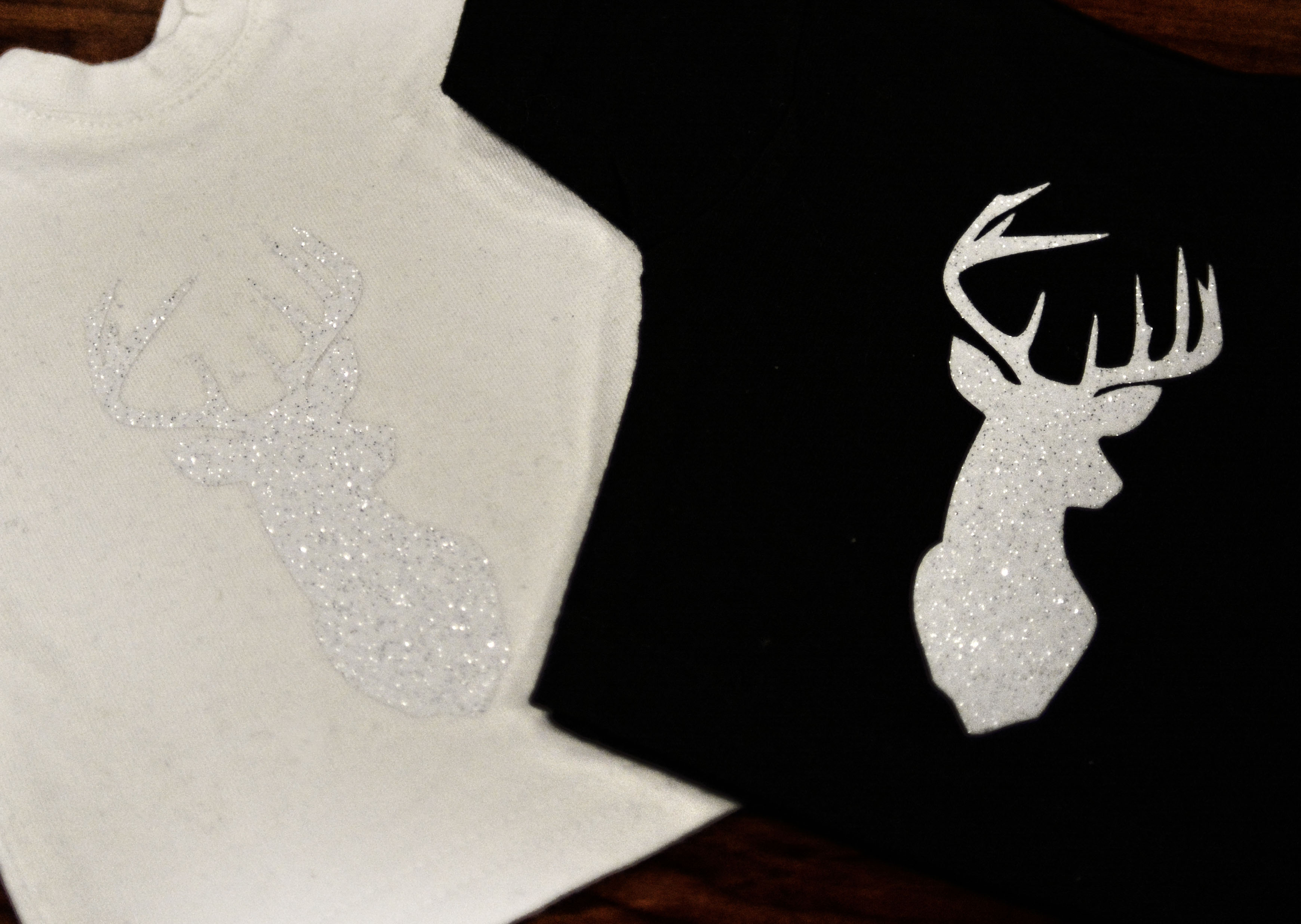
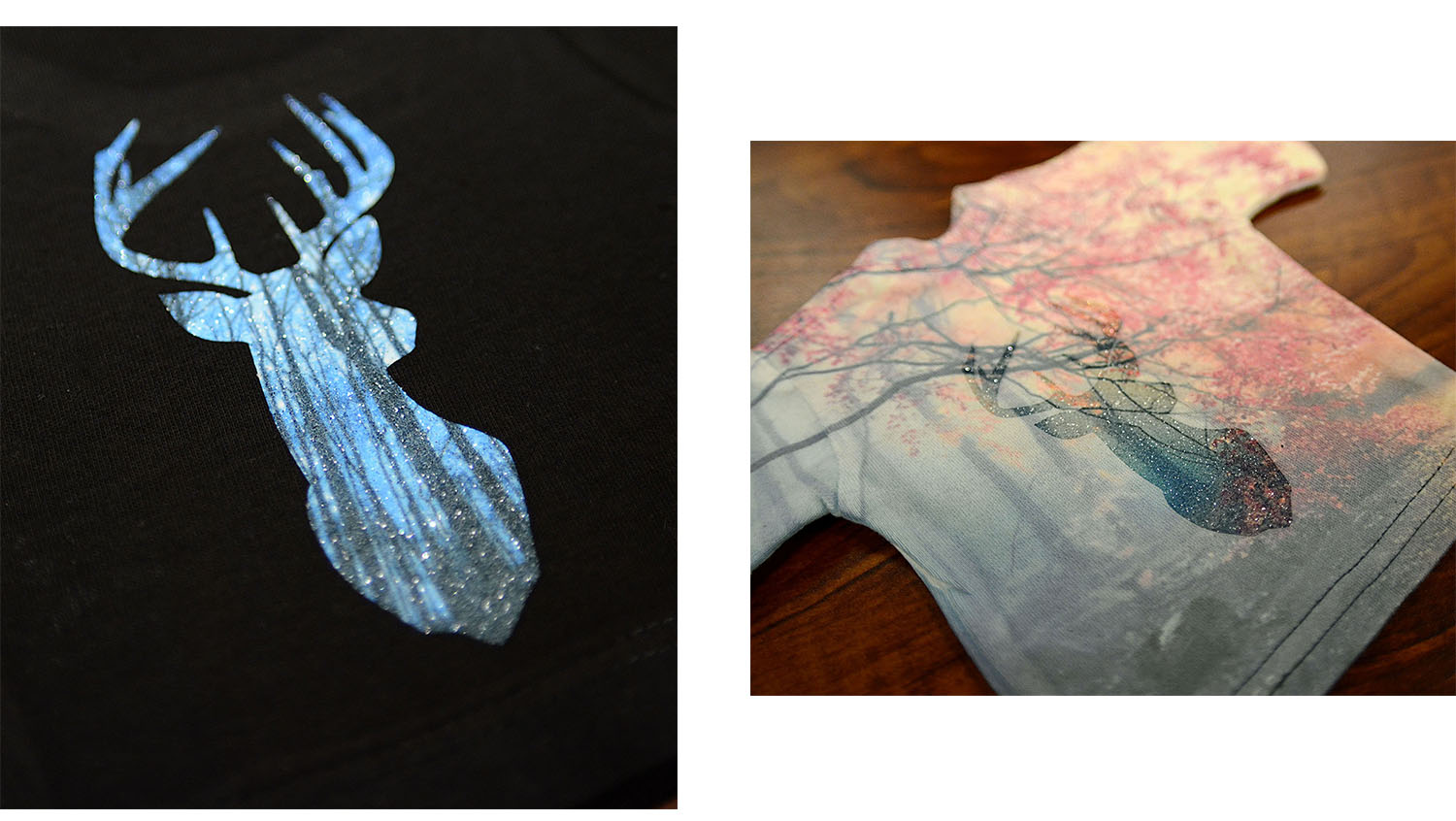
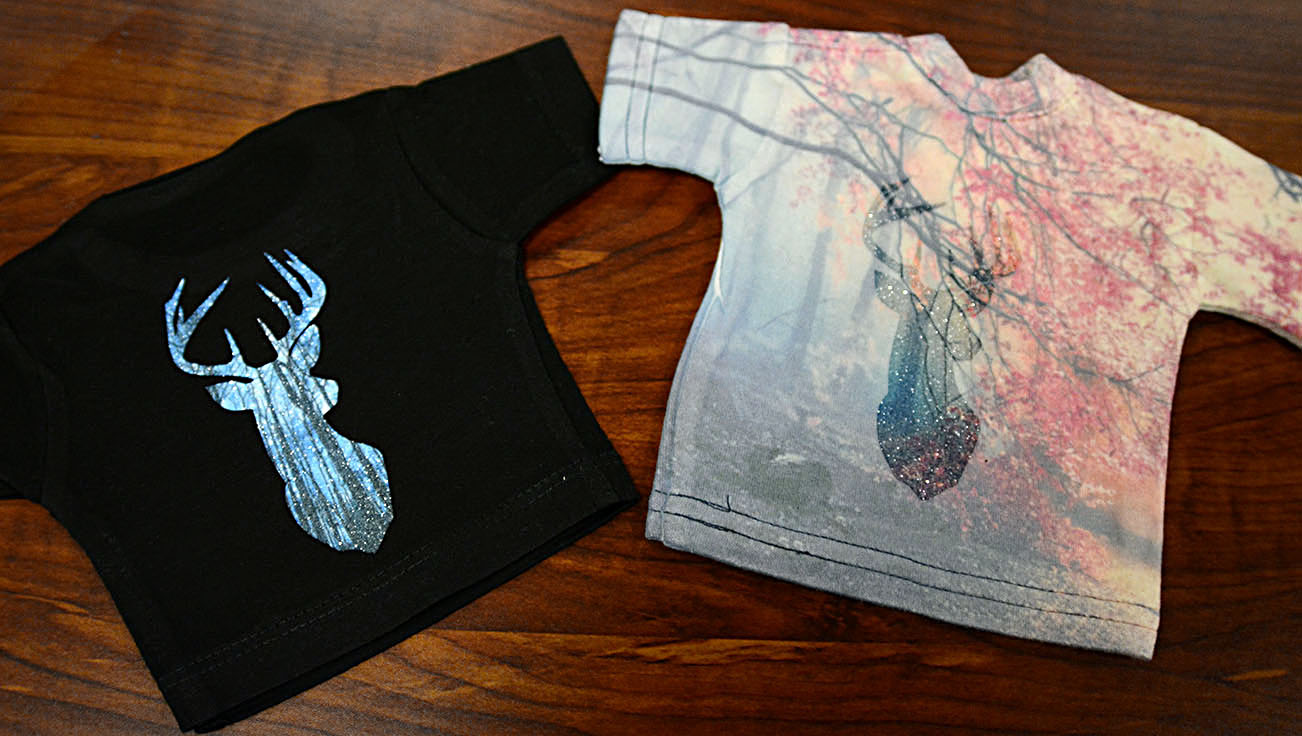
Here at Coastal we like to experiment from time to time with our products. This is how we found out that we can actually use the sublimation process on white glitter flake vinyl and end up with a pretty cool effect.
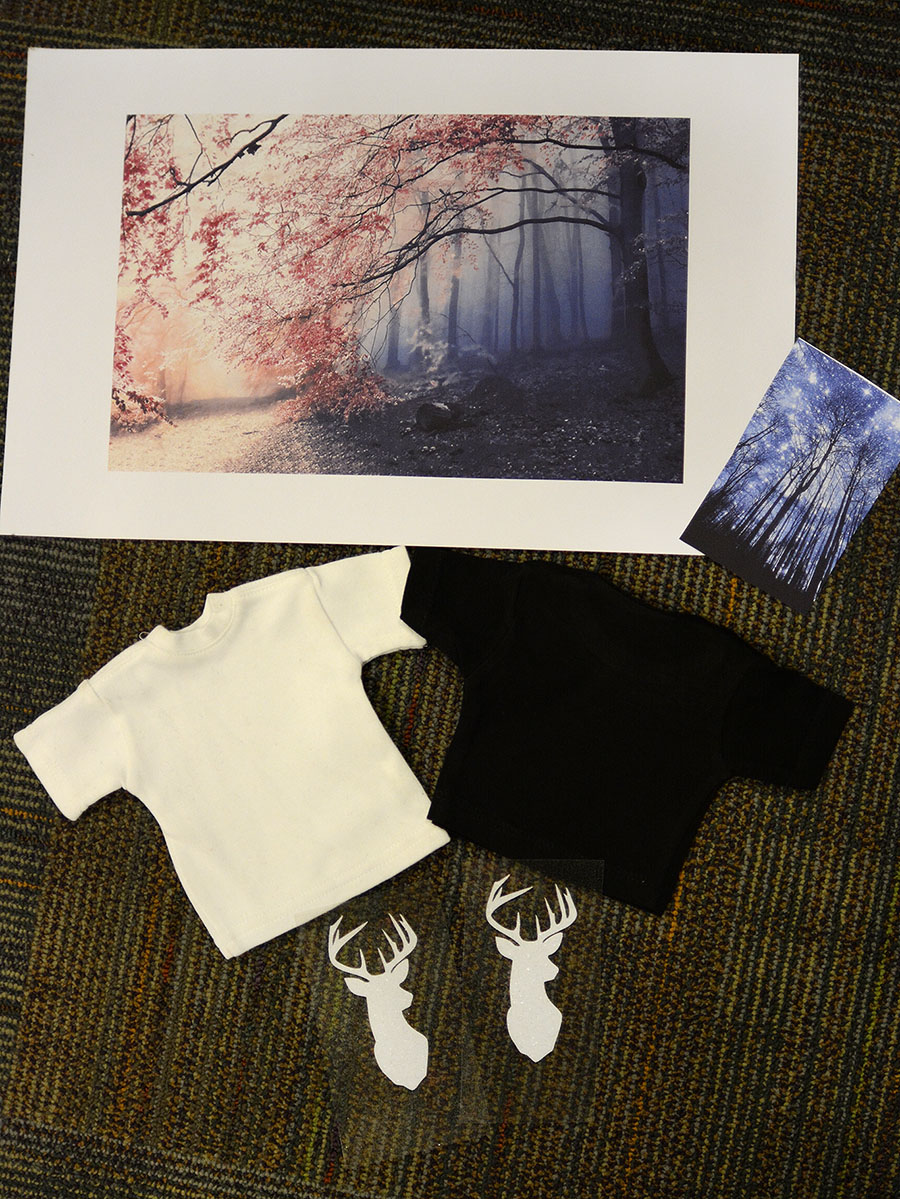
For my demo, I wanted to test the process on black and white 100% cotton fabric. The white fabric was more of a fun test, knowing that the fabric will be dyed a little bit temporarily (we have heard that it does wash out with time unlike polyester which is permanent). I knew the black would work much better because black can’t be dyed and the bleed area won’t show up at all (and that’s my goal).

materials Materials:
• 1 black and 1 white 100% cotton sample shirt
White glitter flake vinyl
• 2 images printed on sublimation paper
(The big image is sized to cover the whole area of the white shirt)


Step 1:
Cut and weed out your design out of the white glitter flake vinyl. Press the vinyl onto your material. I used 320 F for 5 seconds. Since I will be transferring an image for additional 30 seconds later on, the initial press should be just a few seconds enough for the vinyl to adhere.


pressed


Step 2:
Cut out your images to fit the design. For a black garment, all you need is the size of the vinyl design with some bleed area (extra printed area around the image to make alignment much easier and error-free). For the white garment, the fabric will be dyed as well, so size the image to be slightly bigger than the whole garment. I pressed the images for 45 seconds at 380 F. That seemed to produce the most vibrant transfer from various times tested at that temperature.

final result


final


Note: The white fabric will fade and wash off little by little but the vinyl design will remain bright longer. This method is experimental only and the vinyl in itself was not designed for sublimation, it just happens to work with it. Not recommended for every day garment wear since due to the total pressing time of the vinyl, cracking and wear and tear may occur earlier. We have not tested the durability of it on T-shirts over time. Best used for décor.

Creating Rhinestone Templates in Silhouette Studio

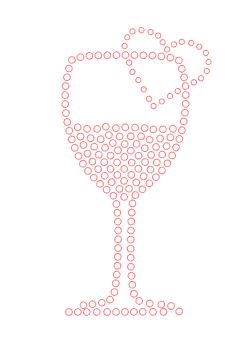
finishedIt is February and Valentine’s theme is all around us. With that in mind, we are bringing you detailed instructions on customizing and creating your own rhinestone template designs that you can fall in love with! All you need is the Cameo, Silhouette Studio Designer edition, Sticky Flock, and of course – rhinestones!

To install the Designer edition- open the Silhouette Studio® software program, go to the “Help” menu, select” Upgrade Silhouette Studio”, enter the following: Designer Edition license key, Silhouette account email address, Silhouette account password. Click on the “Submit” button. The license key will then be applied and the software will be upgraded immediately. If you need to locate this number, you may find it by signing into your account either in the Silhouette Design Store in the software, or by signing into your account through the website. Once logged in, you may go to the My Account page. Your license key code will be listed under Silhouette Studio Keys. In the Silhouette Design Store, the number is listed at the bottom of the main account page. The Silhouette Studio Designer Edition code can only be applied twice.

You can create designs in Silhouette Studio’s Designer Edition by converting simple images to rhinestones, by point and click or completely freehand drawing. In our example, we have combined all three options.

Open your image by going to File, then Open:

screen1

A simple silhouette or an outline is easy and more flexible to work with for rhinestones.


page settings
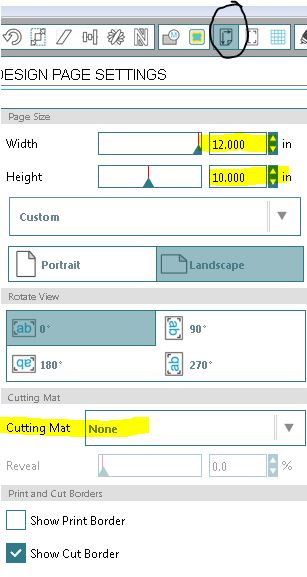
In the page settings window, adjust the size of your rhinestone template material (StickyFlock). We are not using a cutting mat for our example so our setting is “none”, however if using a cutting mat, select the cutting mat size from the drop down menu. It is important to do these steps in order to size and place your design correctly based on the cutting area you are dealing with. page settings If you are working with JPG, BMP, PNG or another type of raster file, you will have to trace the image to create a vector version of it. Refrain from scaling up the image for now. NOTE: Raster graphics can typically be scaled down with no loss of quality, but enlarging a raster image causes it to look blocky and “pixelated.” Because vector-based images are not made up of a specific number of dots like rasters are, they can be scaled to a larger size and not lose any image quality. Raster files: BMP, .TIF, .GIF, .JPG Vector files: .AI, .EPS, .SVG, .DRW


If you don’t know how to trace an image, please visit our Print and Cut tutorial and see steps 2 to 12 for detailed instructions. http://blog.coastalbusiness.com/print-and-cut-tutorial/

traced glass
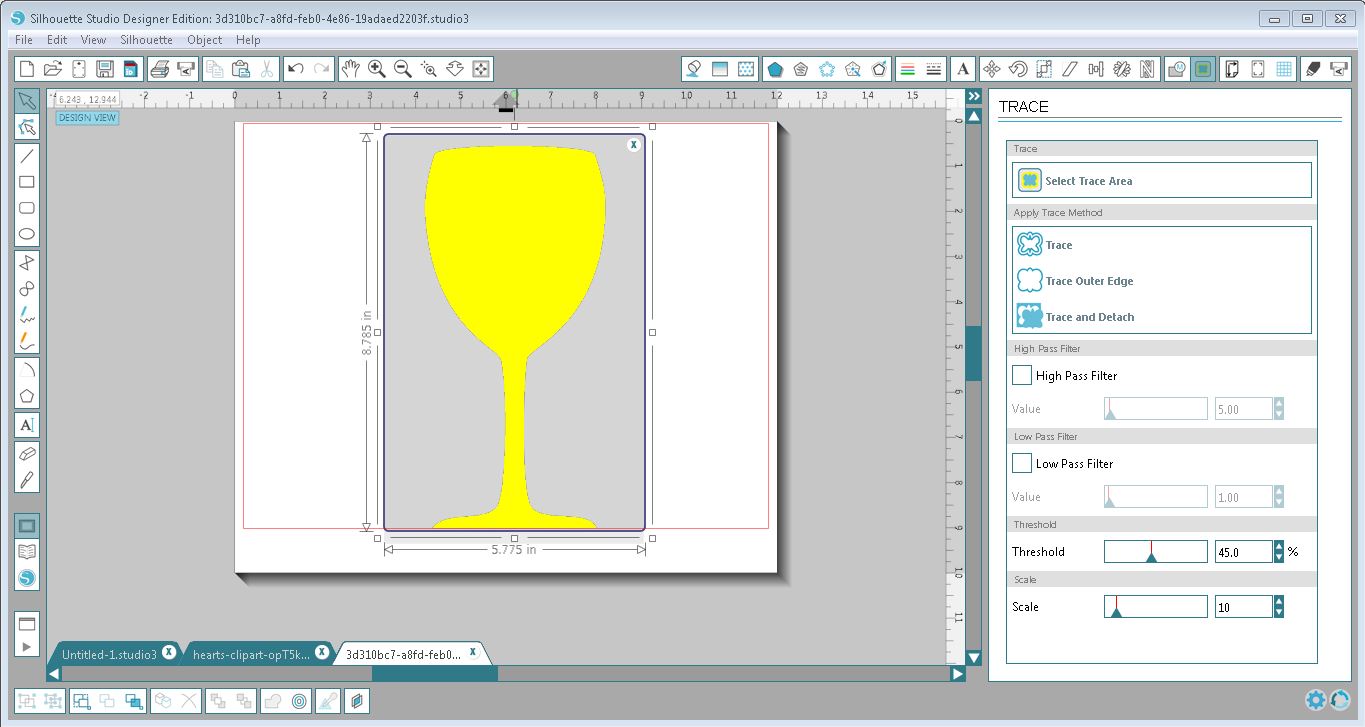
For our example, we traced around the wine glass silhouette, unchecked both High Pass and Low pass filter and selected Trace Outer Edge since we don’t have any details. Your object should be completely yellow to tell the program what it is tracing around. traced glass Before selecting Trace Outer Edge- object is all yellow


beforetrace
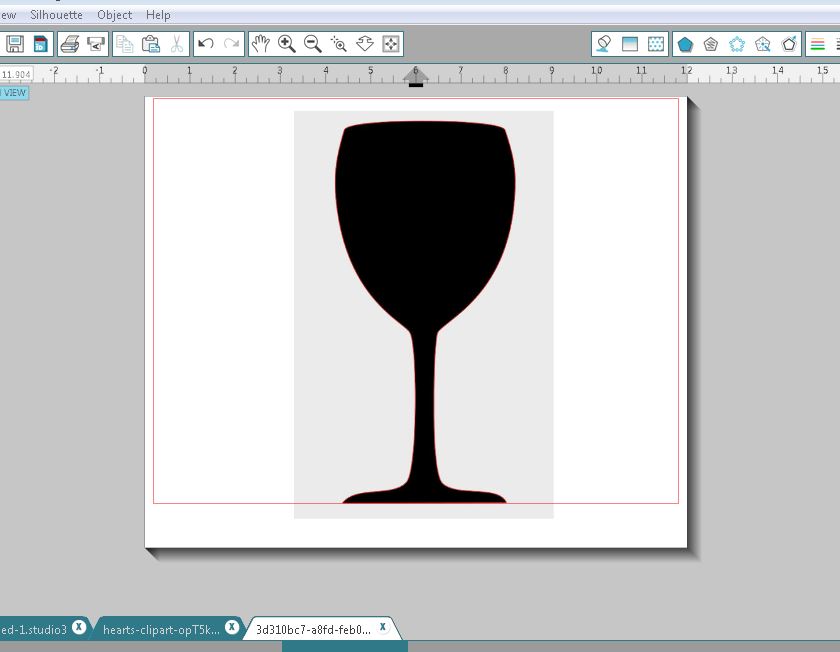
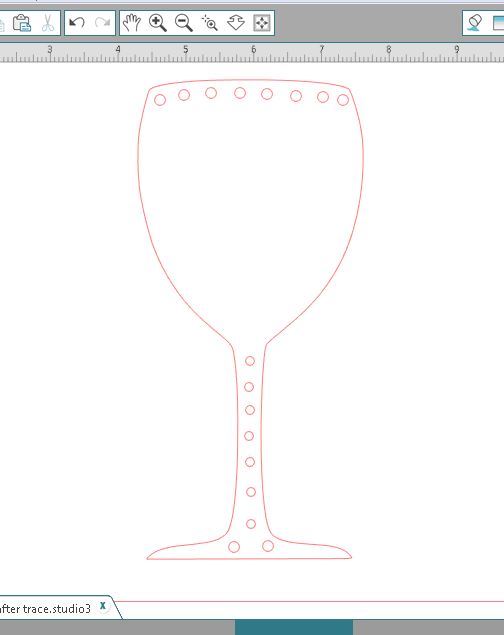
After selecting Trace Outer Edge- there is now a red outline around the object. We moved the image slightly to the right to see if we are satisfied with the result. The black silhouette layer is the raster image and the red outline layer is the vector image. 4. You can go ahead and delete your raster image as you don’t need it anymore. What you should be left with is just your traced outline (vector). With the image selected, you can comfortably size your vector image bigger or smaller by dragging one of the four corners in or out.

after trace


rhinestone window
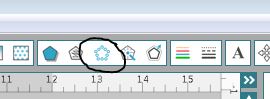
Once you have the size you want, click on the “Rhinestone Window” button.


rhinestone fill
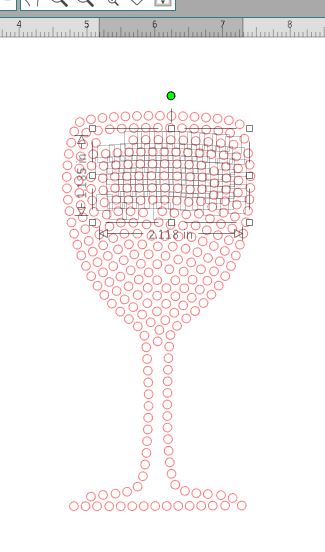
With the image selected, click on one of the options on the right under Rhinestone effect. The four options are None, Edge, Linear Line and Radial Fill. The Edge option lines your design edge with rhinestones, while the Linear and Radial Fill fill the design with various patterns. Play around and see which one produces your most desired effect. Then under Rhinestone size, select the size of rhinestone you would like. Smaller sizes result in more detail. rhinestone fill For our design, we selected radial fill and 10 ss.


Selected area for deletion by clicking and dragging
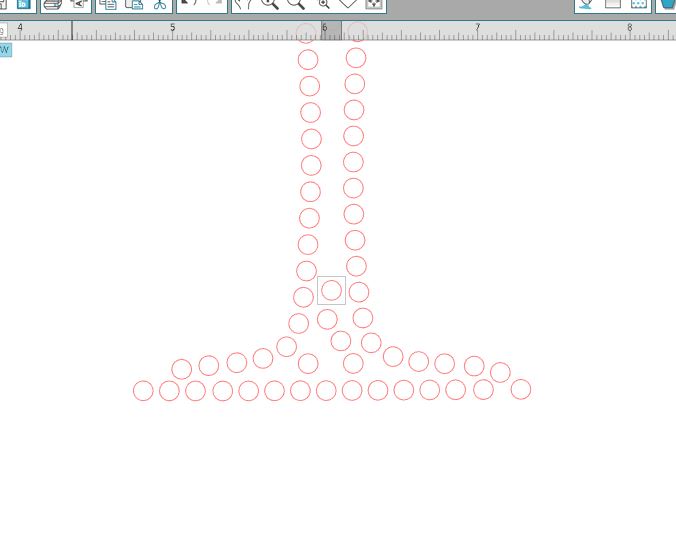
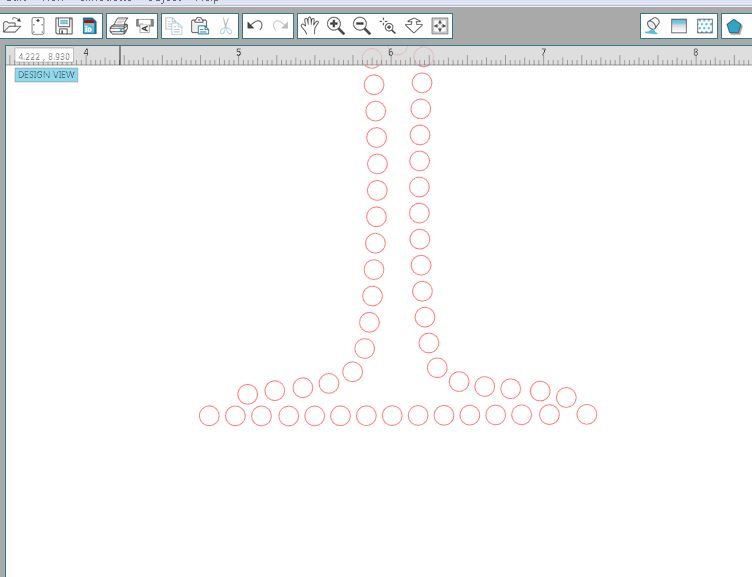
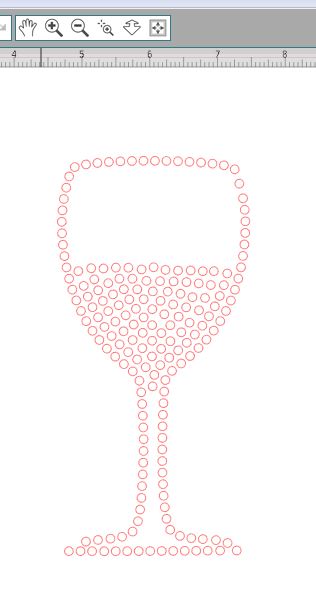
At this point, we are ready to customize our design. The first step in our design is to remove half of the rhinestones in the glass so it looks like there is liquid about halfway up. Also there are some details at the bottom of the glass that we want to remove as well. To do that, have your image selected and on the right within your settings, scroll all the way down and click on Release Rhinestones. Now you have each individual rhinestone separated from the others. By clicking on one, you can move it or delete it and by clicking in an empty area and dragging, you can select multiple rhinestones.


before rhinestone
Before (click and delete)
rhinestone after
After


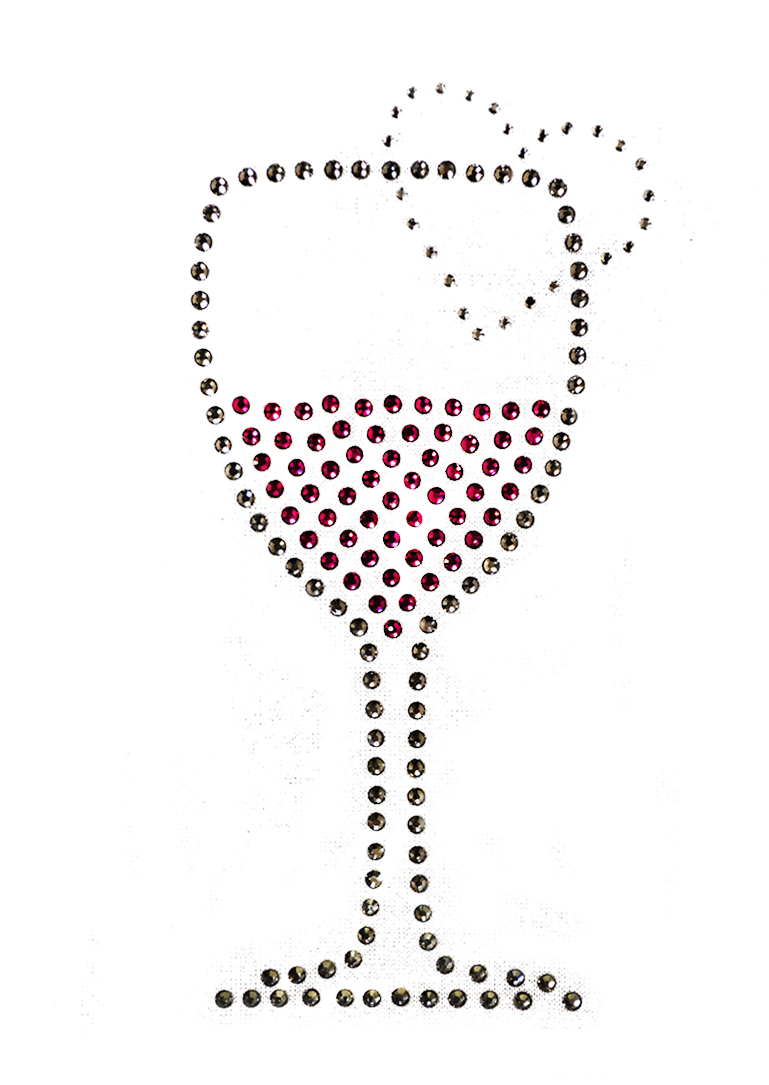
Finished
Finished


single click
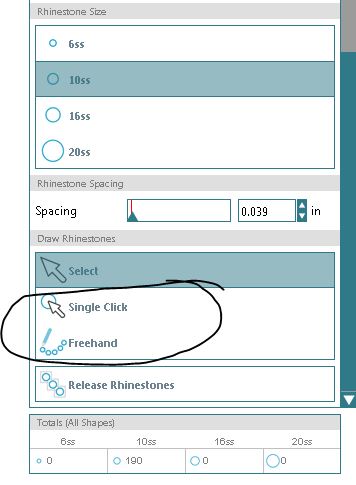
After removing the desired areas, you can then place rhinestones by hand using either the Single Click or Freehand option on the right.


detail1
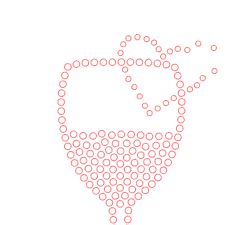
We created the heart on top of the wine glass by drawing it in that position using the Freehand option and selecting the 6ss size rhinestones. After what roughly looked like a heart, we selected all newly created areas, clicked on Release Rhinestones and moved around the rhinestones to shape them into a perfect heart. If there are gaps, you can add a single rhinestone at a time by selecting Single Click.
detail 2
If you have overlapping sections, you will have to delete extra rhinestones by individually selecting them. You may have to move a few or add an extra one here and there to make the design more complete. 10. Once you have your design finalized, you have the option to leave it as is or group all the rhinestones back together to have one cohesive piece that you can move. Click and drag around all elements, then right click and choose “Group.”


DO NOT resize your design once it has been converted to rhinestones. The rhinestone size has been set and drawn exactly as is, so if you resize and run it through the cutter, the holes will not match the rhinestones.

rhinestone count
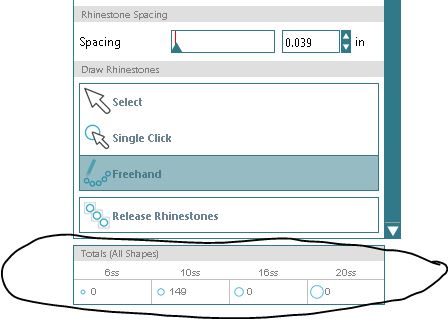
You can find out how many rhinestones your design requires once finished. In the Rhinestones settings page, all the way at the bottom there is Totals (all shapes) section. That shows the total number used from each size.


Design
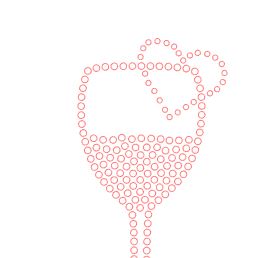
Enjoy your design! Here is ours!


Mix and Match Idea!

vinyl mix
You can mix in rhinestones with a vinyl cut design. Just use the Single Click option to add exact size rhinestones to any design. The cutter will cut them out and once you press your vinyl on your material, you can then place your rhinestones in the sized holes within the design and press again.